
Highsfield for City Walk Concepts: Directing Camera Movement
페이지 정보
작성자 Jasper 작성일26-11-22 13:56 조회1회 댓글0건관련링크
본문
There is a difference between imagining a scene and explaining how that scene should unfold. Highsfield gives travel storytellers and independent filmmakers a place to study that difference through Seedance 2.5 workflow guidance and public examples. A hypothetical city walk project makes the question concrete: the brief should study the rhythm of a fictional urban observation. The scene needs a beginning and an observable change. Those choices help keep an experiment grounded when an attractive first result invites premature approval.

The public Highsfield workflow includes writing a scene, reviewing supported model settings and inspecting a completed result before download or sharing. That sequence is more useful than assuming a name alone defines the output. For Seedance 2.5, http://?utm_source=ins263 verify the live controls when you are ready to work. The examples discussed below remain published reference material, and the proposed scene remains a hypothetical planning exercise rather than a record of a tested job.
Choose a Viewpoint With a Specific Job
Consider a fictional assignment for travel storytellers and independent filmmakers. Its purpose is to study the rhythm of a fictional urban observation. The setting is a quiet pedestrian street with market stalls, and the required visual detail is the walking direction and background perspective. Start by choosing a single action the viewer can follow. An atmospheric street scene is not evidence that a specific place looked that way on a particular day. Treat it as a fictional location study unless the final project uses verified footage of the actual destination.
A camera move should answer a visual question. For this scene, it needs to reveal the walking direction and background perspective while the subject completes its action. Choose the viewpoint because it explains something. Begin with a restrained follow shot from a consistent distance, then check whether that direction actually improves understanding. If a fixed view makes the detail easier to see, motion can remain with the subject rather than becoming an additional camera requirement.
A Seedance 2.5 Scene Brief to Evaluate
A proposed scene prompt could read: "Setting: a quiet pedestrian street with market stalls. Action: One person walks past a flower stand. Camera: a restrained follow shot from a consistent distance. Preserve the walking direction and background perspective. Keep the background stable and end with the subject still recognizable." This is an original planning example, not a tested generation record. Select only input and output options the current model actually supports.
Think of a prompt as a shot brief someone else could stage. It should explain where the subject is, what changes and where the viewer stands. The intended event is simple: one person walks past a flower stand. The viewpoint uses a restrained follow shot from a consistent distance. Write the physical event before choosing the mood. This order makes it easier to spot contradictory instructions and to distinguish a motion problem from a lighting or composition problem.
Keep subject movement and camera travel from working against each other. If the audience needs to inspect the walking direction and background perspective, a rapid viewpoint change may hide it. A restrained viewpoint can give the action more clarity. State the desired direction and endpoint in the brief, then leave room for a review of whether the result maintains useful subject scale instead of unexpectedly enlarging or losing the subject.
Use Public References With Their Context Intact
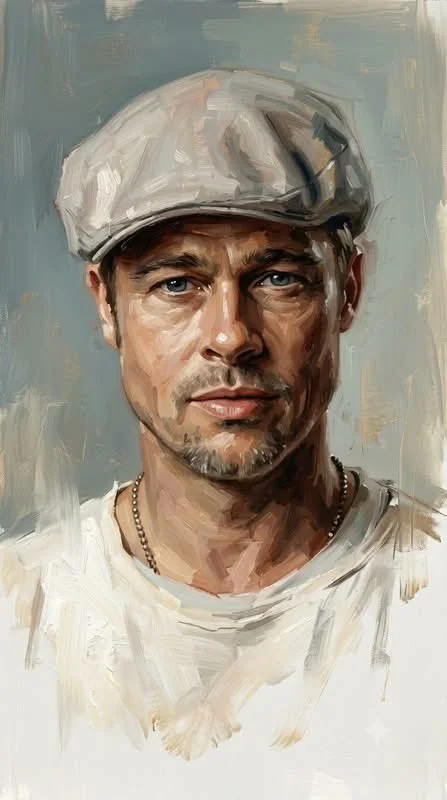 Published Highsfield visual reference: Expressive painted portrait with visible brushwork.
The published image shows a painted portrait with visible surface texture. It is useful for studying selecting a few appearance anchors instead of requesting an undefined overall look. A still establishes appearance, while movement needs its own brief. Use that distinction when planning the proposed scene. This is a reference from the public site, not a newly generated result or proof of Seedance 2.5 performance.
Cinema Verite in 1970s Paris; published Seedance 2.0 example. Open the published video example.
The video poster shows a person beside a flower display. Open the clip to study the relationship between a subject, a setting and a restrained viewpoint, then judge the moving result rather than inferring it from the poster. This example is labeled Seedance 2.0 on the homepage, so it should not be presented as a Seedance 2.5 result. Inspect the full action before applying a similar framing decision. The proposed project remains a separate, hypothetical exercise.
Check the Clip Against the Actual Assignment
For this particular concept, follow foot placement and inspect straight architectural edges. Reject the draft if the person teleports or storefronts change mid-shot. This gives the reviewer a concrete standard beyond whether the clip looks impressive. If the mismatch appears in only part of the clip, identify that moment before changing the brief. An acceptable opening frame does not excuse a subject or environment that becomes inaccurate during the intended action.
A reviewer should be able to explain a rejection in visible terms. ‘The scene feels off’ is less useful than identifying a change in the walking direction and background perspective or a break in the intended action. Record the moment when the clip stops matching the brief. The next attempt can then target a specific instruction, while the parts that already work stay intact. Keep the rejected draft as a reference rather than relying on recollection.
Place stills from the opening and ending beside one another. A successful move should reveal the intended information without changing the subject into a different object. For this scene, follow foot placement and inspect straight architectural edges. Compare scale and perspective before refining the mood. This gives the team a concrete reason to retain or reject the move and helps avoid approving a dramatic transition that undermines the purpose of the clip.
Take the Highsfield Draft Into the Final Edit
Keep the request settings beside the prompt when evaluating a result. Duration, aspect ratio, resolution and audio options can affect the assignment, and their available values depend on the selected workflow. Let the current interface define the selectable options. If you change the destination of the clip, revisit the framing before generating another version. A crop that removes the key action is a production problem even when the file itself downloads correctly.
The edit should serve the action the brief promised. Trim away an unnecessary lead-in, leave enough time for the walking direction and background perspective to register and add the verified caption separately. End the clip when its intended visual point has been made. For this project, test the chosen view in the intended crop and preserve the important detail through the edit. Save the selected result with the approved copy so the person publishing it does not have to guess which version or message the reviewer accepted.
The point of this city walk exercise is to study the rhythm of a fictional urban observation with a scene that another person can understand and review. Highsfield’s Seedance 2.5 guidance provides a starting framework, while the actual generator defines current technical options. Keep the brief small enough to test and specific enough to reject. If the draft preserves the walking direction and background perspective and completes the intended action, it can move into editing with a clear reason for being there.


댓글목록
등록된 댓글이 없습니다.
