
Highsfield Fitness Studio Concepts: Choosing a Camera View That Serves…
페이지 정보
작성자 Karolyn 작성일26-11-21 20:59 조회5회 댓글0건관련링크
본문
For fitness content producers, a short video has to help them plan a welcoming setting without presenting unverified exercise instruction before it earns a place in the project. Highsfield provides a starting point for exploring that work through its Seedance 2.5 guides and public examples. Consider a fictional study built around fitness studio concepts. The useful question is whether the scene communicates its intended purpose, rather than how many effects fit into the prompt. A focused brief gives the first draft a standard to meet.
A Highsfield guide can help organize a creative brief, while the generator supplies current options for a particular model. Those roles are different. When planning a Seedance 2.5 concept, verify accepted inputs and settings before submitting any generation request. Public examples are useful for visual analysis, but their presence on a workflow page does not prove they share the same model, settings or source material as the clip you want to create.
Choose a Viewpoint With a Specific Job
Consider a fictional assignment for fitness content producers. Its purpose is to plan a welcoming setting without presenting unverified exercise instruction. The setting is an empty exercise studio with soft daylight, and the required visual detail is the mat placement and clear floor space. Give the viewer one action to recognize before adding another. The mood of a studio can support an announcement without demonstrating a movement. If the final video includes exercise guidance, a qualified instructor should review a real or independently verified demonstration.
A camera move should answer a visual question. For this scene, it needs to reveal the mat placement and clear floor space while the subject completes its action. Choose the viewpoint because it explains something. Begin with a locked wide view, then check whether that direction actually improves understanding. If a fixed view makes the detail easier to see, motion can remain with the subject rather than becoming an additional camera requirement.
Translate the Idea Into a Seedance 2.5 Prompt
A proposed scene prompt could read: "Setting: an empty exercise studio with soft daylight. Action: A curtain moves beside a row of stationary mats. Camera: a locked wide view. Preserve the mat placement and clear floor space. Keep the background stable and end with the subject still recognizable." This is an original planning example, not a tested generation record. Select only input and output options the current model actually supports.
Think of a prompt as a shot brief someone else could stage. It should explain where the subject is, what changes and where the viewer stands. The intended event is simple: a curtain moves beside a row of stationary mats. The viewpoint uses a locked wide view. Write the physical event before choosing the mood. This order makes it easier to spot contradictory instructions and to distinguish a motion problem from a lighting or composition problem.
Keep subject movement and camera travel from working against each other. If the audience needs to inspect the mat placement and clear floor space, http:// a rapid viewpoint change may hide it. A modest move can reveal more than a complicated orbit. State the desired direction and endpoint in the brief, then leave room for a review of whether the result maintains useful subject scale instead of unexpectedly enlarging or losing the subject.

Use Public References With Their Context Intact
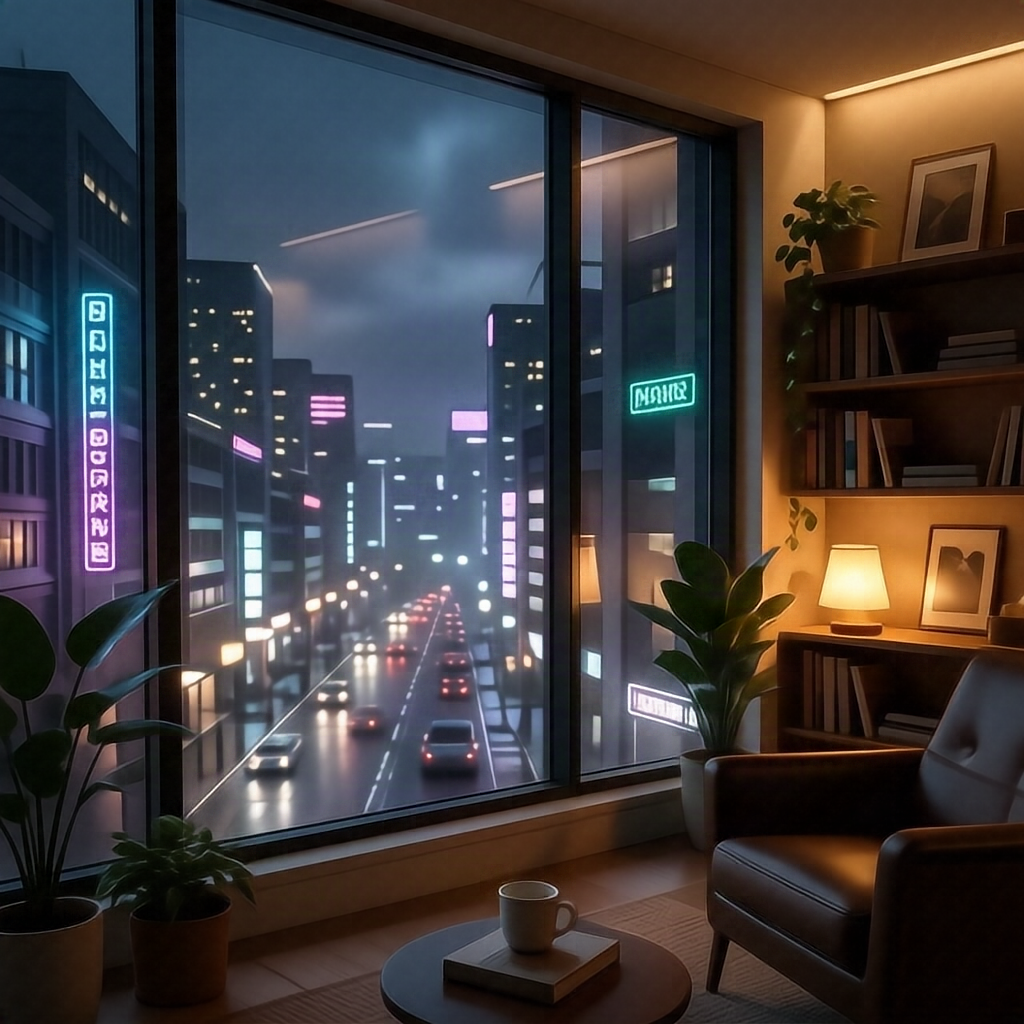 Published Highsfield visual reference: Reading room overlooking a neon city at night.
The published image shows a warmly lit reading room beside a cool city view. It is useful for studying the contrast between a stable interior and an atmospheric exterior. The reference supplies a composition, not an automatic motion instruction. Use that distinction when planning the proposed scene. This is a reference from the public site, not a newly generated result or proof of Seedance 2.5 performance.
Published doorway-portrait video example from Highsfield. Open the published video example.
The video poster shows a person visible through a narrow doorway opening. Open the clip to study how framing can establish a focal point before movement begins, then judge the moving result rather than inferring it from the poster. Its use here is as a visual reference; this article does not attribute the clip to Seedance 2.5. Compare the opening and ending before borrowing a camera idea. The proposed project remains a separate, hypothetical exercise.
Review the Action and Required Details
For this particular concept, review spatial continuity and add verified class information later. Reject the draft if the room changes dimensions or equipment appears. This gives the reviewer a concrete standard beyond whether the clip looks impressive. If the mismatch appears in only part of the clip, identify that moment before changing the brief. An acceptable opening frame does not excuse a subject or environment that becomes inaccurate during the intended action.
Review the clip at normal speed before examining individual frames. The first pass asks whether the action is understandable; the second looks for instability in the mat placement and clear floor space. A pause can reveal a defect that motion conceals. Compare the opening, a middle moment and the ending, then examine any transition that looks wrong. Do not let an attractive thumbnail stand in for a review of the actual moving result.
Inspect the shot both alone and beside the next planned image. Camera direction can be clear in isolation but confusing when two shots disagree about subject position or travel. A coherent sequence needs compatible visual directions. For this exercise, keep the placement of the mat placement and clear floor space legible through the transition. If the sequence forces the viewer to reorient unnecessarily, a simpler shot or a different cut may serve the story better.
Take the Highsfield Draft Into the Final Edit
Keep the request settings beside the prompt when evaluating a result. Duration, aspect ratio, resolution and audio options can affect the assignment, and their available values depend on the selected workflow. Use the current Highsfield controls as the technical reference. If you change the destination of the clip, revisit the framing before generating another version. A crop that removes the key action is a production problem even when the file itself downloads correctly.
Keep an approved clip with its prompt, selected settings and source references. That record makes a later revision easier to understand and prevents a concept from becoming detached from its original purpose. For fitness content producers, the next step is to test the chosen view in the intended crop and preserve the important detail through the edit. Use the editing stage for exact captions and approved copy. This is especially important when a date, product detail or explanatory claim could change after the visual has been prepared.
A useful next step is to write the scene in one plain paragraph and decide what would make it unacceptable. For this project, that includes the moment when the room changes dimensions or equipment appears. Highsfield and its Seedance 2.5 workflow can support the exploration, but the creator still needs to supply a clear purpose and judge the result. Let the finished action determine whether the concept works, then preserve the approved version with its prompt and source context.


댓글목록
등록된 댓글이 없습니다.
